Labelling a Project as an Arbitrator
To understand the role of an arbitrator, please refer to the Understanding Vote Types and What is an Arbitrator sections of the Admin pages.
Also note that to act as an arbitrator you will need to be assigned the ability to arbitrate by an admin.
To label a project as an Arbitrator consider this detailed step-by-step guide.
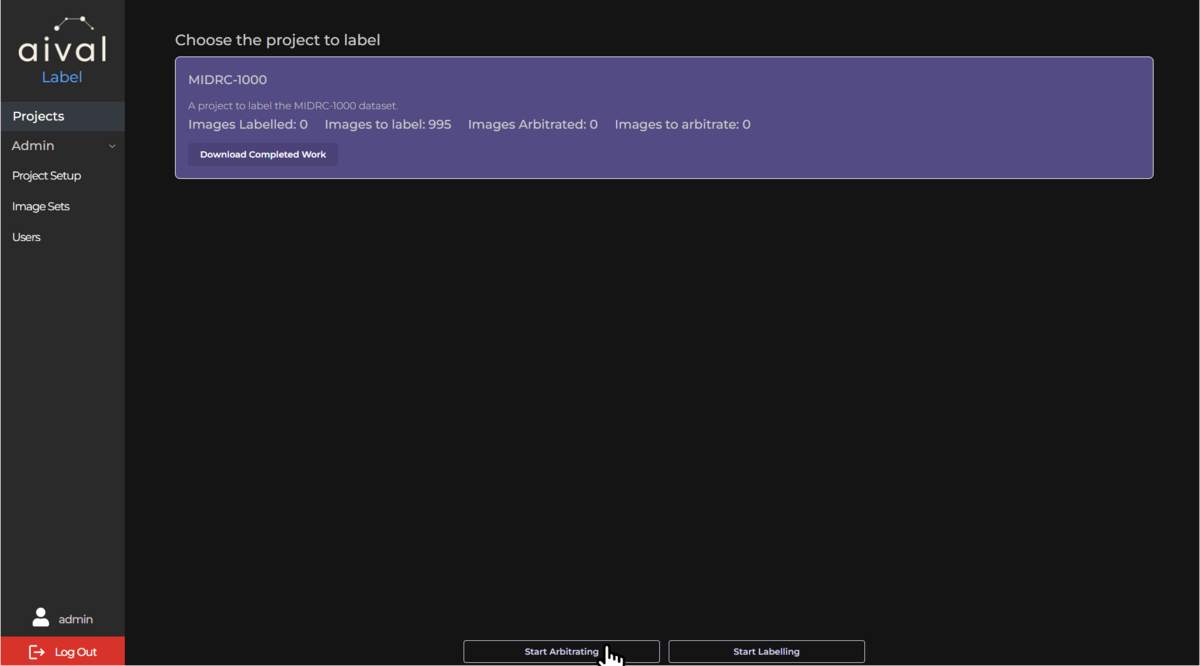
Home Page Navigation: In the exact same way you as a Labeller, log into you labelling account. You will then be presented with the labeller project home page. This page will contain all the projects that will need to labelled or arbitrated.
Selecting Your Project: Identify and click on the project you intend to arbitrate. To know that you have been given arbitrator access, once you click on the project you will be given the choice to Arbitrate the project.
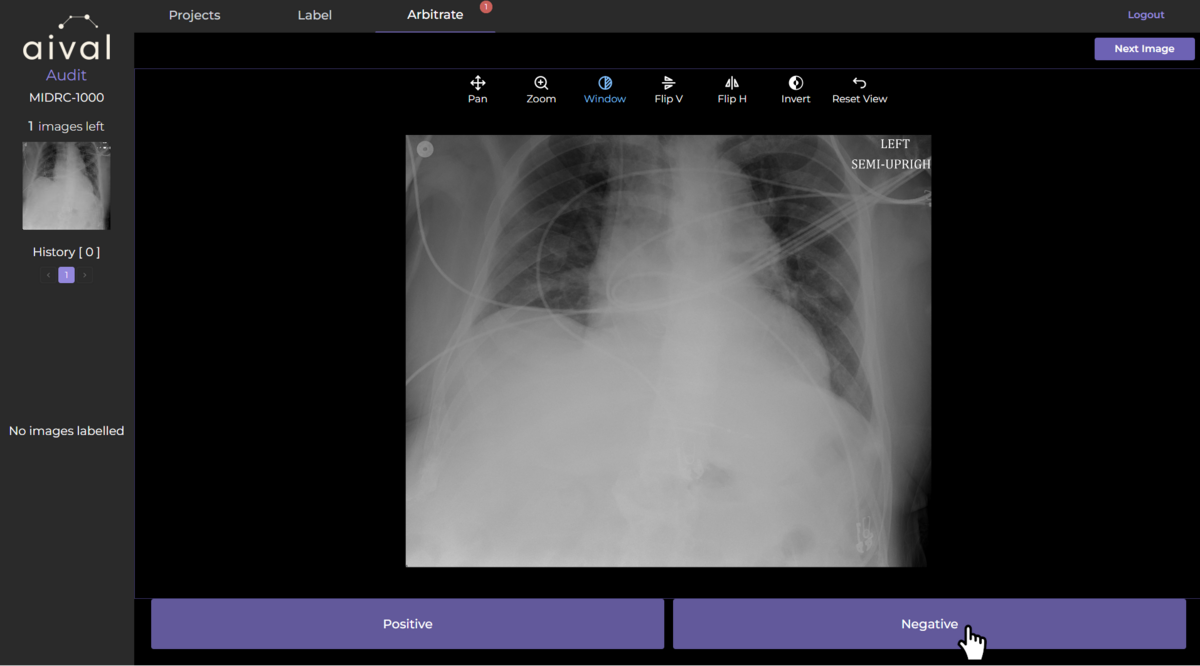
Accessing the Imaging Viewer : Once you have clicked the button 'Start Arbitrating', you will be served a subset of the studies in the project dataset. These studies will be all the ones that were disagreed upon by two Labellers assigned to the project. You can then use the viewer tools to help you inspect the medical images closely. Depending on the project's requirements, you can view series in 2D or 3D formats. Utilise the viewer's features (like zoom, rotate, contrast or pan) to thoroughly examine each study before labelling. If there are multiple series available for a specific study, you can also toggle their visibility.
A more detailed guide to the labelling tool, including how to manipulate the view of each series, can be viewed here.
Arbitrating Process: Clicking on one of the labels that are assigned below each study, will annotate it. Once labelled the study will disappear and be saved.
Saving and Switching Projects: Your labelling progress is automatically saved, ensuring that you can pause or switch between projects without losing your work as the arbitrator of the project. Once all the studies in need of arbitration have been appointed a label, there should no longer be any studies displayed in the viewer.
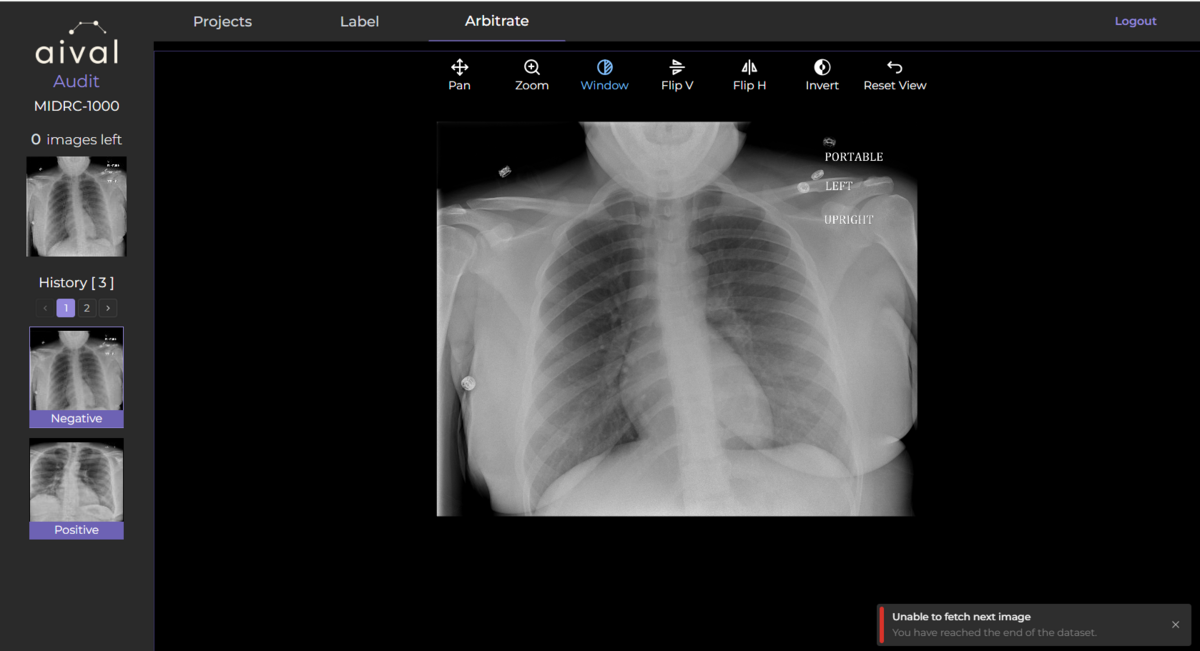
As an Arbitrator completing a project will depend on whether or not the other Labellers assigned to the project have both finished labelling their studies.
We recommend that Arbitrators be given access to arbitrate once both Labellers have gone through and labelled all their studies in their project. This would avoid confusion with incomplete arbitration of projects. You may need to follow specific steps to formally submit your labelled studies, depending on your organisation's requirements. By following these steps, you can download the results of the labelling in a CSV format.